
Table of Contents
Points Miles and Bling (blog) contains referral or affiliate links. The blog receives a small commission at no additional cost to you. Thank you for your continued support. Credit Card issuers are not responsible for maintaining or monitoring the accuracy of information on this website. For full details, current product information, and Terms and Conditions, click the link included.
We’ve written about Hilton AI’s Travel Planner before, and TL;DR, it’s not super helpful. The Marriott Ask Bonvoy AI search tool is anything but and is shockingly, incredibly useful.
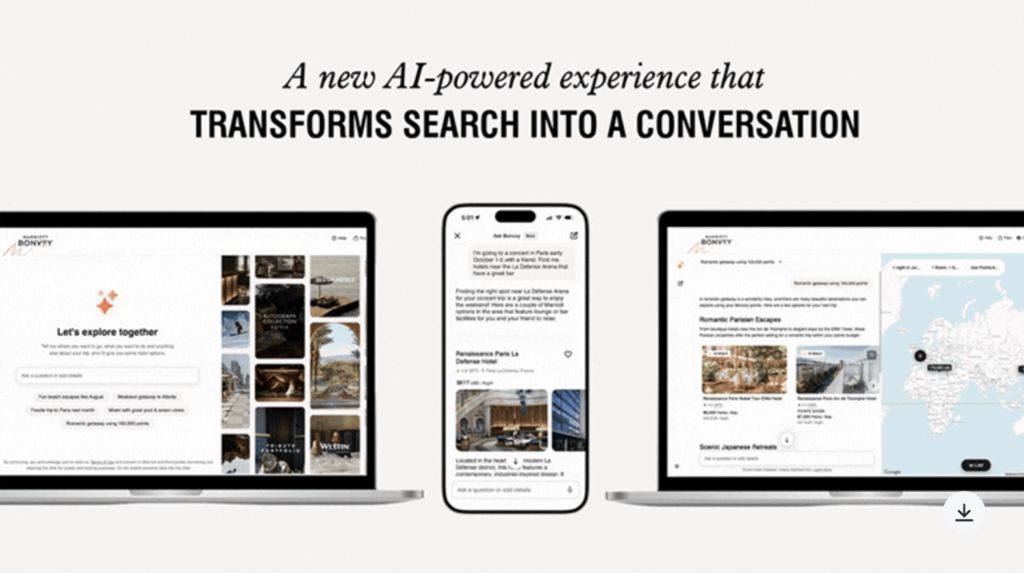
Don’t overlook Marriott’s “Ask Bonvoy” AI tool
At a Glance
Marriott’s “Ask Bonvoy” AI tool isn’t just conversational help for choosing a hotel or destination; it can also search prices across different rates at any property, city, or other parameter. If you provide a specific date range, it can search within that range. If you provide a specific hotel, it will only search that property. If you want to search only using a specific corporate code, it can do that, too.
Searching for Points Availability
I don’t want to bury the lede, so let’s jump in. It’s most valuable to demonstrate using examples, so here’s what I’ve been using “Ask Bonvoy” for. My first prompt was simple: I’ll be in downtown Toronto next Friday; how many points will it cost?
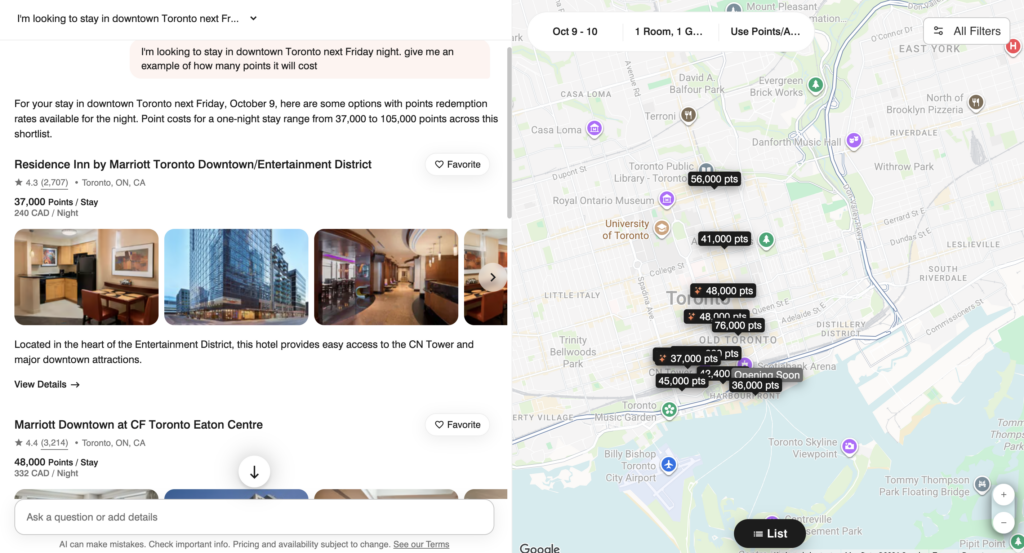
Marriott’s AI planning tool is actually very useful
Are you impressed? Just me? The left-hand side is a scrollable list of properties with full points prices and even cash prices listed. The right side auto-populates a map of the area, where you can zoom in to see specific hotels. Ask Bonvoy correctly picked up October 9-10 as “next Friday” and zoomed in to downtown Toronto.
The “All Filters” button on the top-right brings up the classic Marriott filter where you can select specific brands, amenities, transportation options, and more.
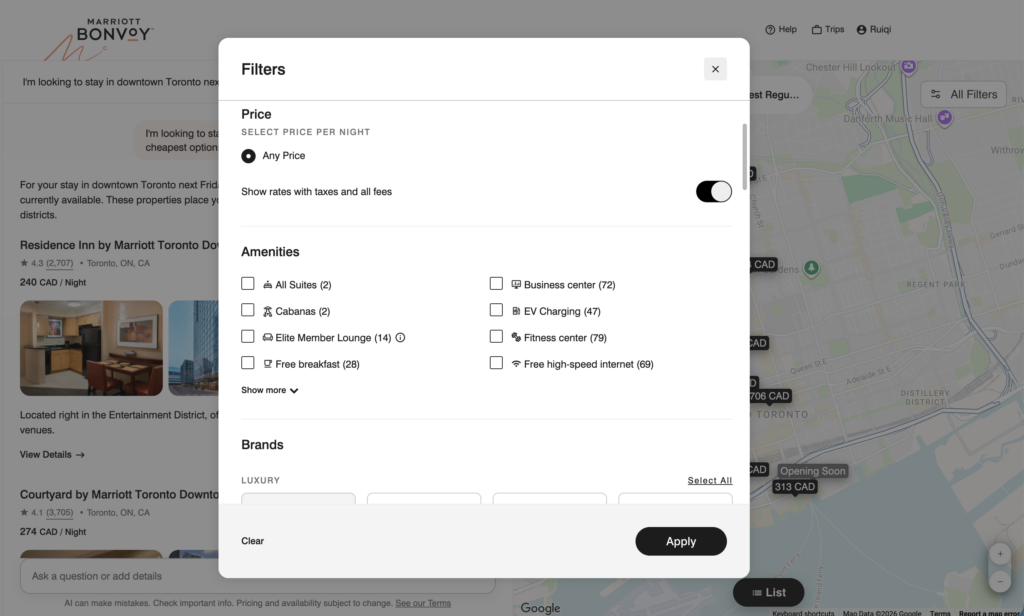
The map view includes the usual Marriott filters
Searching for Cash Availability
What if, instead of searching for points prices, I asked about cash rates? I expect this to be an easier prompt than points, and sure enough, Ask Bonvoy delivered.
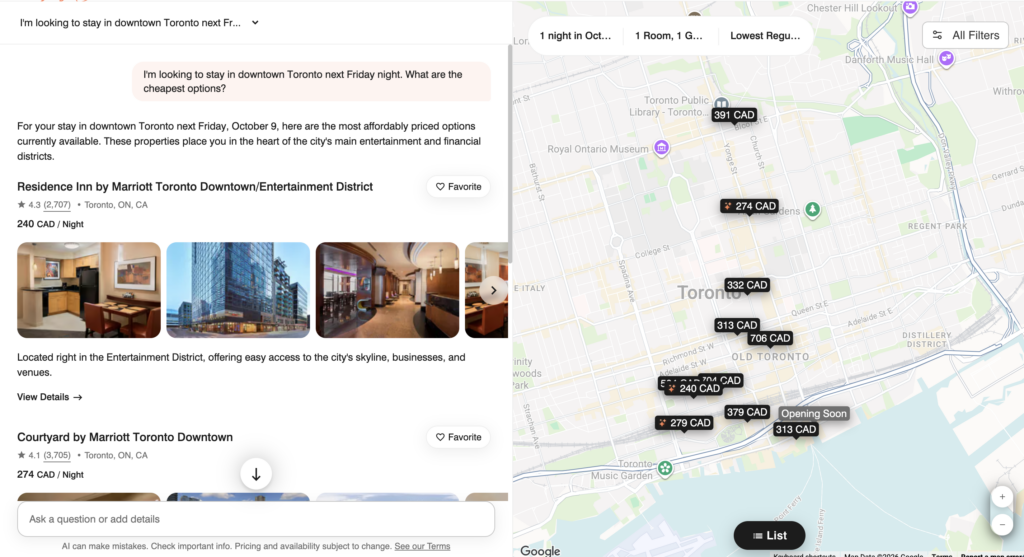
Ask Bonvoy is quite adept at running searches
The left-hand side answer section is in order of price for all properties in downtown Toronto, which is perfect.
Using a Specific Corporate Rate
On the topic of cash rates, what if you’re eligible for a specific corporate code or other rate? Well, Ask Bonvoy can search for that, too.
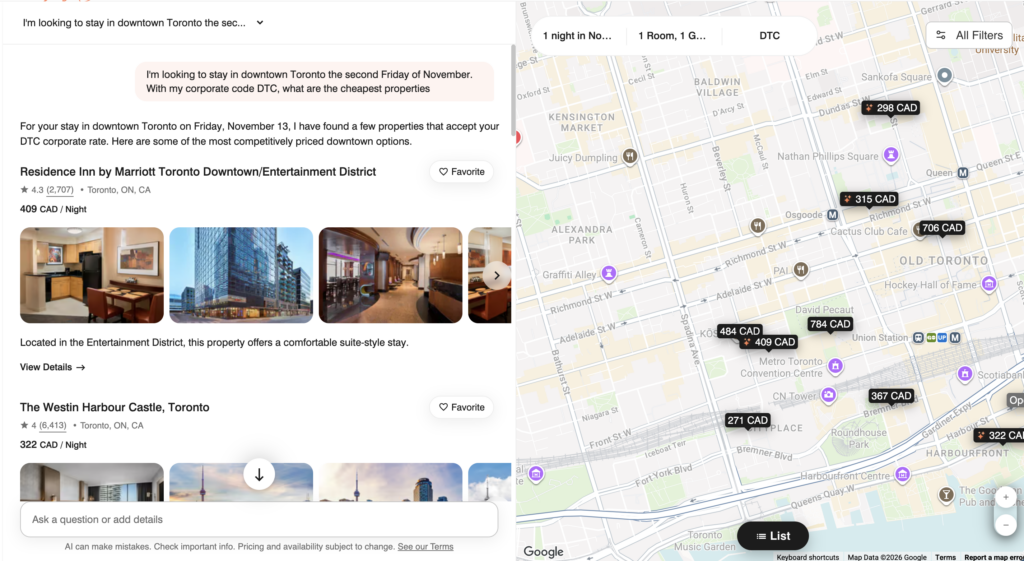
Ask Bonvoy can search corporate rates, too
I’m highly impressed it could search special rates at all, and it did so very efficiently. This is a time-saving tool if you can ask it to search your corporate rate in multiple cities and get a reply in seconds, rather than spending a couple of minutes manually searching each city yourself.
General Inquiries
On top of running searches, Marriott’s Ask Bonvoy AI tool is capable of answering general destination-related inquiries.
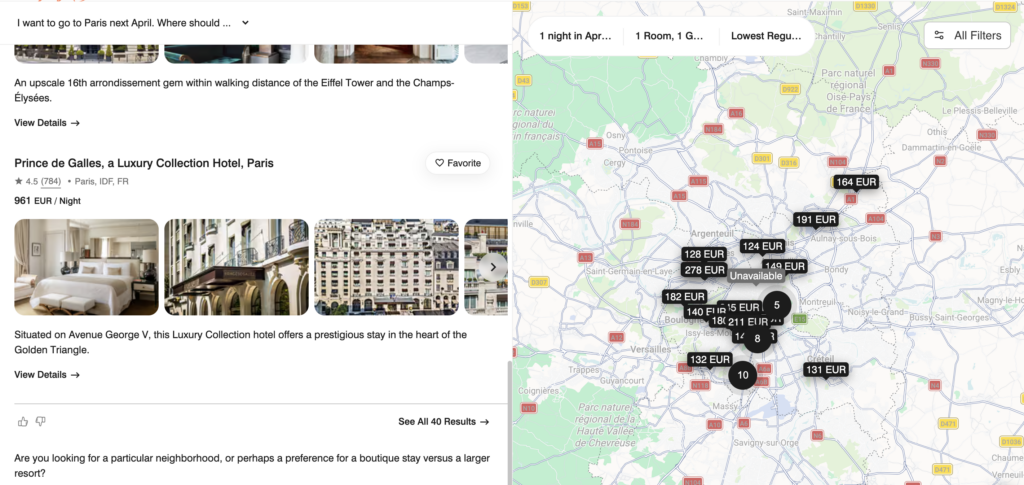
Ask Bonvoy can answer general inquiries
I appreciate that the map on the right still populating with hotel locations and prices, with the date information correctly set to flexible dates of “1 night in April”.
When asked a more generic question like “Which Caribbean island is a good idea for February?”, Ask Bonvoy provides a short overview of various islands and the available hotel options for each. Again, I really like that it lists prices for every hotel with a “1 night in February” filter.
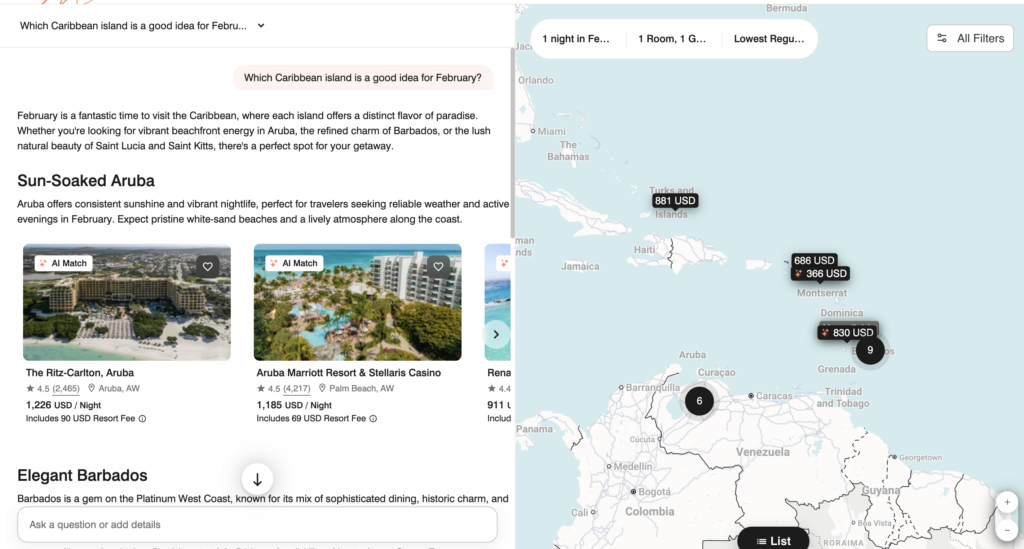
Ask Bonvoy can answer generic travel questions
I inquired further with “My budget is $500 USD a night for two adults, all taxes and fees included. Ideally no kids. What do you recommend?” and it correctly changed the filter to 2 adults, which is impressive. This makes a difference because all-inclusive resorts charge different prices depending on the number of occupants. It also only suggested adults-only hotels, even though I requested no kids.
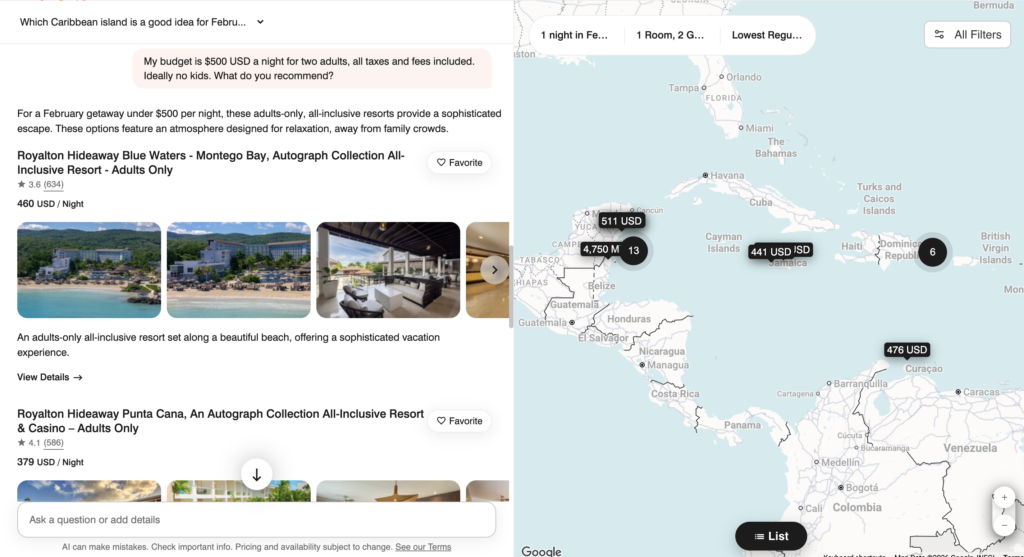
Ask Bonvoy knew to change the number of guests to two when I inquired about two adults
I’m honestly astounded it correctly picked up all these factors and provided real, useful results. The map on the right-hand side is a perfect addition to the search results, letting you glance quickly, decide, and filter the results yourself on top of what the AI tool gives you.
Limitations of Marriott’s AI Tool
Contradictory Pricing
Sometimes when inquiring about special rates, I received contradictory pricing information.
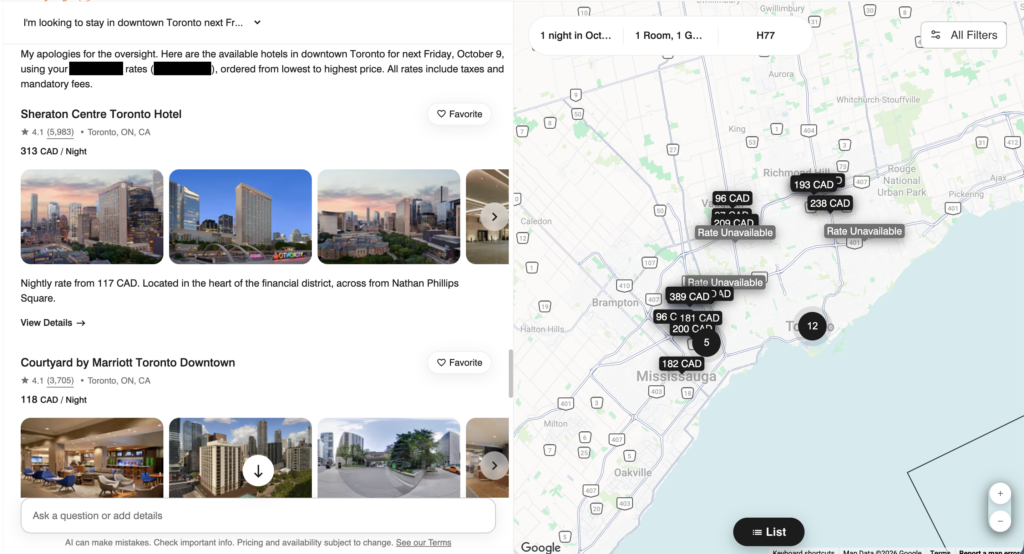
Ask Bonvoy can search using special rates
In the screenshot above, it initially showed all the prices, but no longer in order from the cheapest to the most expensive property. So I asked Ask Bonvoy to correct it, and it said it did, but you can see that’s not true, as Sheraton at $313 is listed before Courtyard at $118. However, the description for Sheraton also says “Nightly rate from 117 CAD”, which contradicts the $313 price and could explain why it’s listed before Courtyard at $118.
Using a Free Night Award
Another limitation I found with Ask Bonvoy is when I asked about using a Free Night Award. Say I have a 35,000-point Free Night Award; where can I stay? Keep in mind you can add up to 25,000 points to bring it to a maximum of 60,000 points, but can Ask Bonvoy add that?
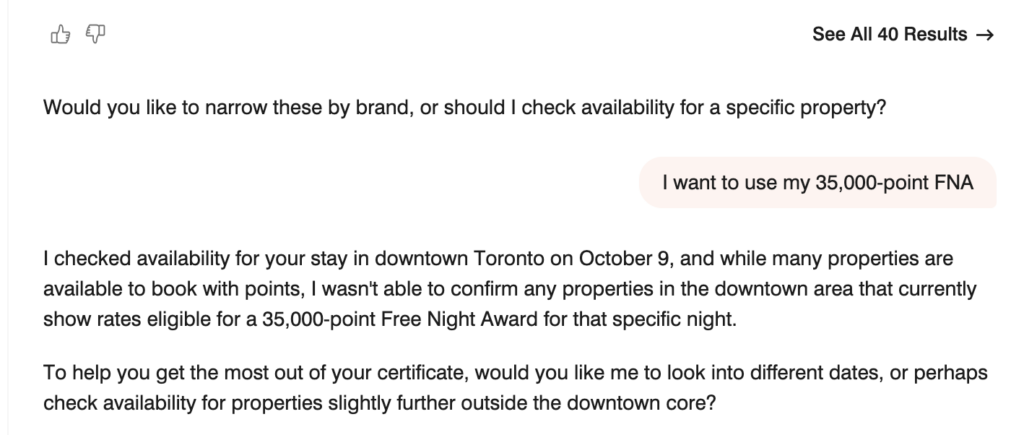
Marriott Ask Bonvoy still has limitations
Unfortunately, Ask Bonvoy didn’t quite make that connection. Of course, you can easily get around this by asking which properties cost 60,000 points or less, but it would’ve been neat for Ask Bonvoy to mention it to the user. If the person asking didn’t know about the 25,000-point top-up rule, learning from Ask Bonvoy would’ve been useful.
Knowledge About Marriott
On that note, I started a new chat to ask directly about Free Night Awards, not searching for hotel stays. Marriott’s Ask Bonvoy didn’t provide an update on the latest rules and said you can only add 15,000 points. Back in March, Marriott increased the top-up limit to 25,000 points, but Ask Bonvoy seemed to have missed the memo.
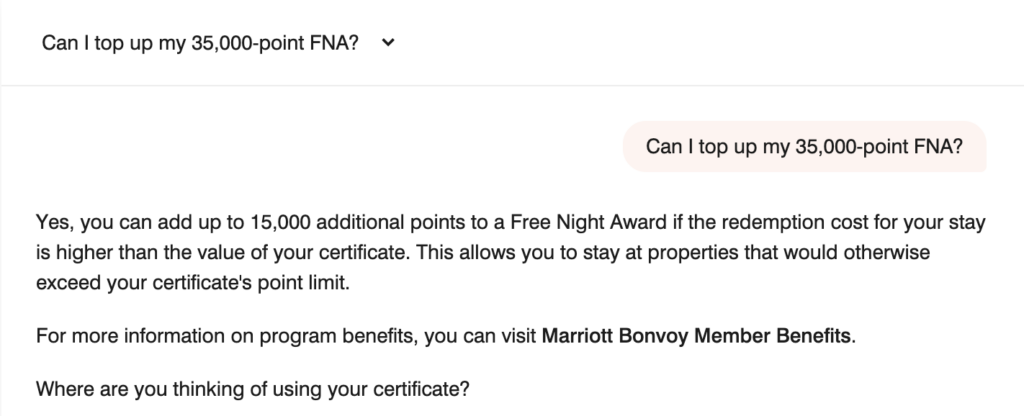
Marriott Ask Bonvoy AI tool gets some stuff wrong
Even using Ask Bonvoy’s own outdated 15,000-point top-up rule, it should’ve made the connection when I asked my question above and displayed hotels in downtown Toronto that cost 50,000 points or less.
Takeaway
Marriott’s Ask Bonvoy is probably the most useful hotel AI tool I’ve tried so far, mostly because it does more than recommend destinations or summarize information. Being able to search real hotel availability, points prices, corporate rates, guest counts, and specific parameters through a conversational prompt genuinely saves time.
That doesn’t mean I’d trust it blindly. Contradictory pricing and outdated information about Free Night Awards show that Ask Bonvoy is a better search tool than a Marriott Bonvoy expert. But honestly, that’s enough, because Marriott advertised it as an “AI-Powered Search Experience” and on that front, it delivers.
