Table of Contents
Points Miles and Bling (blog) contains referral or affiliate links. The blog receives a small commission at no additional cost to you. Thank you for your continued support. Credit Card issuers are not responsible for maintaining or monitoring the accuracy of information on this website. For full details, current product information, and Terms and Conditions, click the link included.
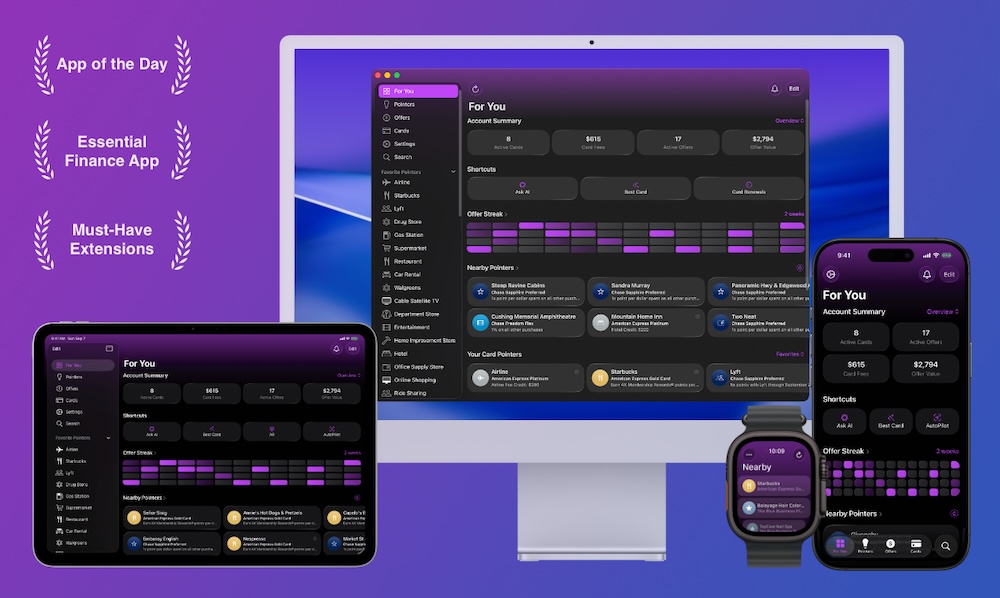
Cardpointers is the app that keeps getting better! My favourite new feature in Cardpointers 8 is automatic offer syncing: it syncs offers while you sleep, so you don’t have to log in and add them manually. All your offers load automatically at an interval you choose — more details below.
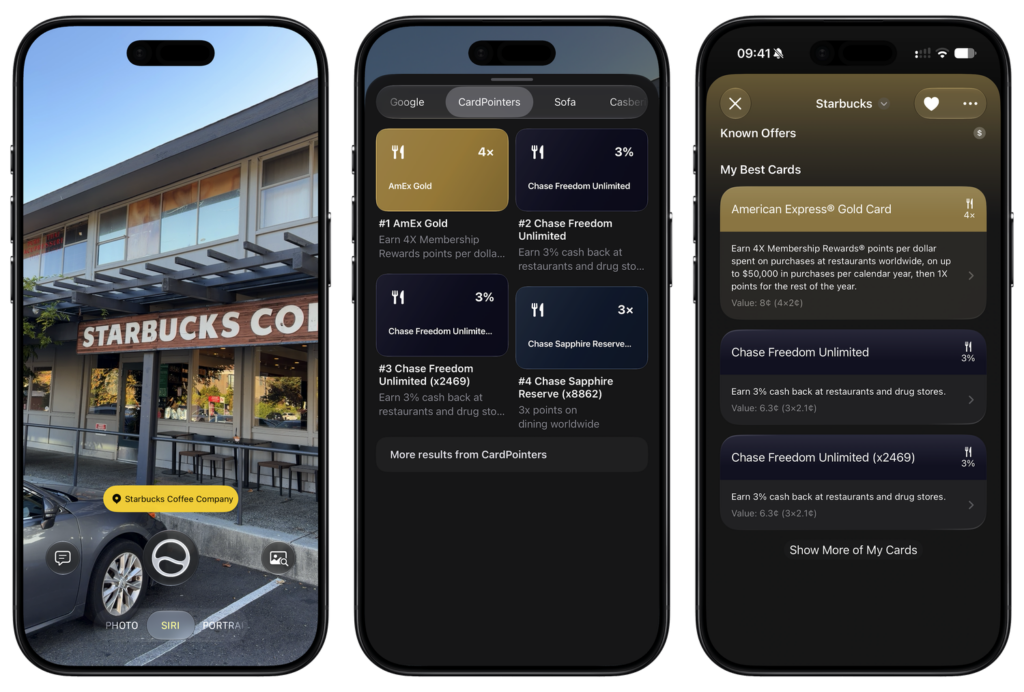
Version 8 also includes a new Ask AI feature (within the app), iOS widgets, Live Activities, and an overall UI overhaul supporting Apple’s new Liquid Glass. A new cool feature is toggling to Cardpointers when using Siri AI in photos.
As a refresher, Cardpointers automatically enrolls credit card offers on your card without clicking through each one, and it also makes it easy to check which card has the offer when you’re making a purchase. After using it for a while, I’ve realized it’s incredibly useful and a fantastic tool to help you avoid leaving money on the table by taking advantage of all your credit card offers.
Limited Time Sale (Lifetime Effectively Free) + Price Increase After Sale
You do have to spend a little for the convenience, and luckily, CardPointers is currently offering a sale in celebration of the launch of Cardpointers 8, where you can save 50% off the normal price. Currently, buy annual for $45 USD or lifetime for $140 USD
Note that on October 1, not only is the sale ending, but the regular price is going up to $99.99 USD a year or $299.99 lifetime (up from $90 and $280). And if you buy Lifetime access through this link, you’ll receive a $200 Savings Card as a sign-up bonus, making your CardPointers+ upgrade effectively free! This limited-time opportunity is available until September 30, 2026.
The savings card works with select hotels and vacation activities; full details on the Cardpointers website.
Our Affiliate Link for Cardpointers – CardPointers+ works with both U.S. and Canadian cards.

CardPointers Version 8 Launch Sale
How Does CardPointers Work?
CardPointers works through two parts: an app and an extension. The CardPointers app is available on basically every platform, including Apple Vision Pro. I’ve been using the Mac and iOS app and both work great.
The browser extension is where the magic happens: after the extension is installed and you log in to your Amex account, Cardpointers will automatically pop up and ask if you want to enroll.
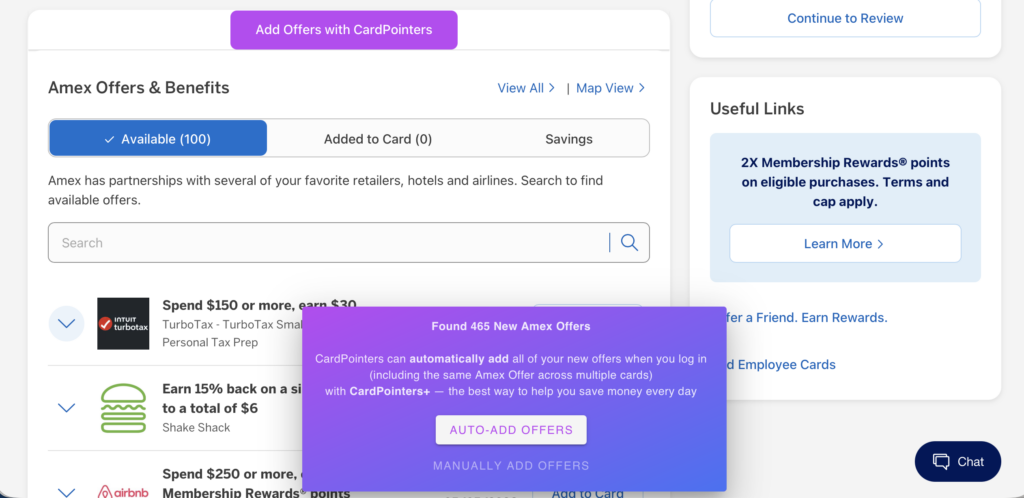
Upon clicking “auto-add offers”, Cardpointers starts enrolling every single offer available on every single card. For my 465 new offers, it took about two minutes. As someone who used to spend time each week adding new offers to my Amex cards, I’ve seen significant time savings.
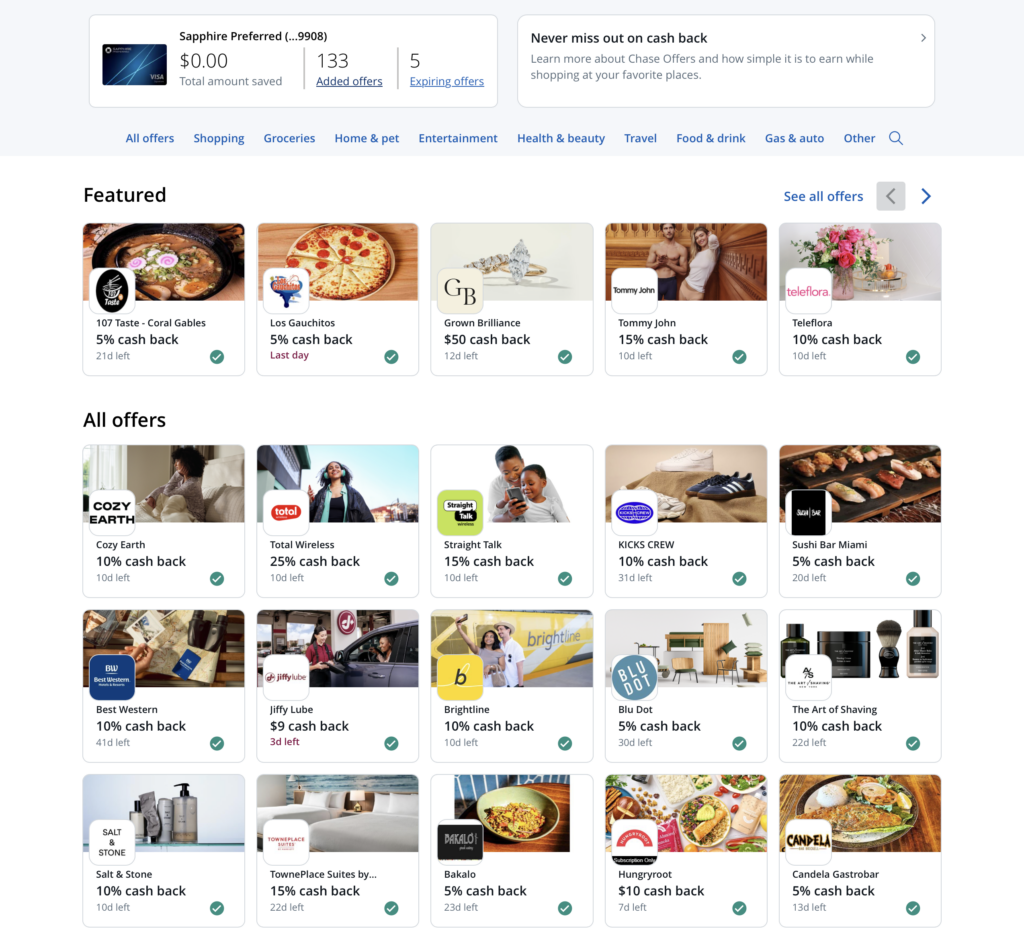
Also, Amex will frequently have more than 100 offers available, but won’t display new offers unless some of the existing ones have already been added to the credit card, so it’s in your favour to frequently add new offers to your card even if you don’t intend to use it.
Outside of Amex, CardPointers also works for Chase, Bank of America, and Citi.
New and Best Feature: Automatically Sync Offers
Cardpointers 8 just launched, and with it, a brand new and awesome feature: you can now sync offers across Amex, Bank of America, Chase, Citi, and Wells Fargo automatically without having to manually open the website and run the Cardpointers app or extension.
You can use the mobile or desktop app (I’m using the iOS and Mac app), find the “Sync” button, and click the “+” icon to add a new bank account to sync. You log in within the Cardpointers portal, then select the sync interval and at what time of day it should sync. As an example, I have my Amex offers syncing daily in the screenshot below.
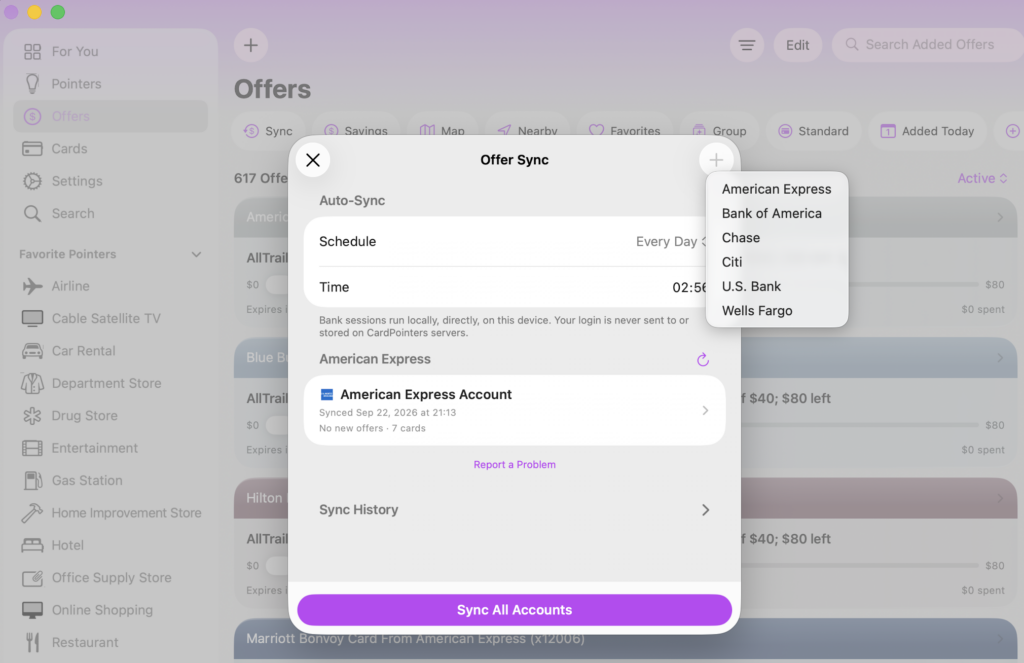
Each bank has a few quirks, like adjusting your 2FA settings, but Cardpointers has a handy how-to guide, and it’s a set-it-and-forget-it deal.
This feature eliminates basically the only point of friction Cardpointers had and I’d say it now runs as seamlessly as can be. CardPointers automatically adds offers, and you can search directly in the app to check whether you have one when shopping online or in-store.
Use Case 1: Check Offers When You’re Out and About
All these offers are now also available in the Cardpointers mobile app. Yesterday, I went to Shake Shack for dinner. I know I had an Amex Offer, so my usual process is to open the Amex app to check which card has it, click “Add to Card,” and then double-check the credit card to make sure I’m paying with the right one.
My new workflow involved opening the CardPointers mobile app, searching for “Shake Shack” in the Offers section, clicking it, and then seeing at the top which credit card I should use. Plus, I know that the offer is already enrolled on my card, so there’s no need to open the Amex app at all.
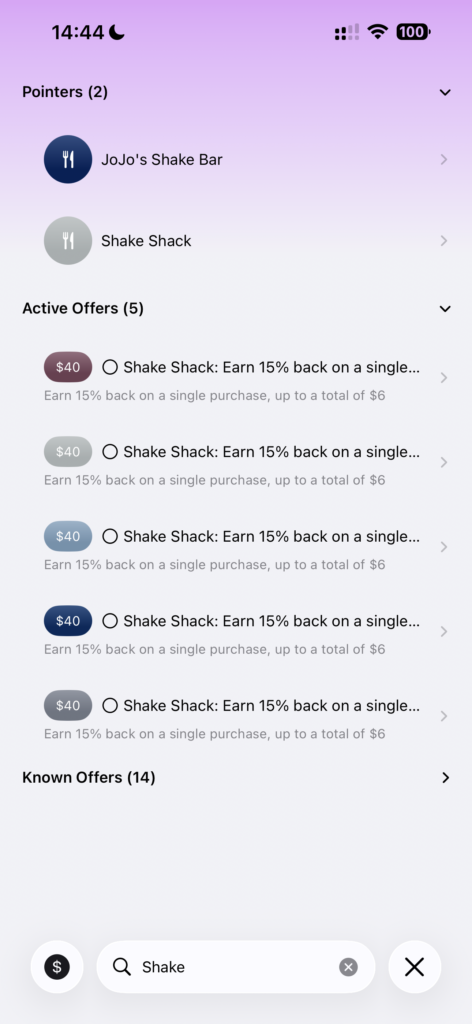
Search “Shake Shack”
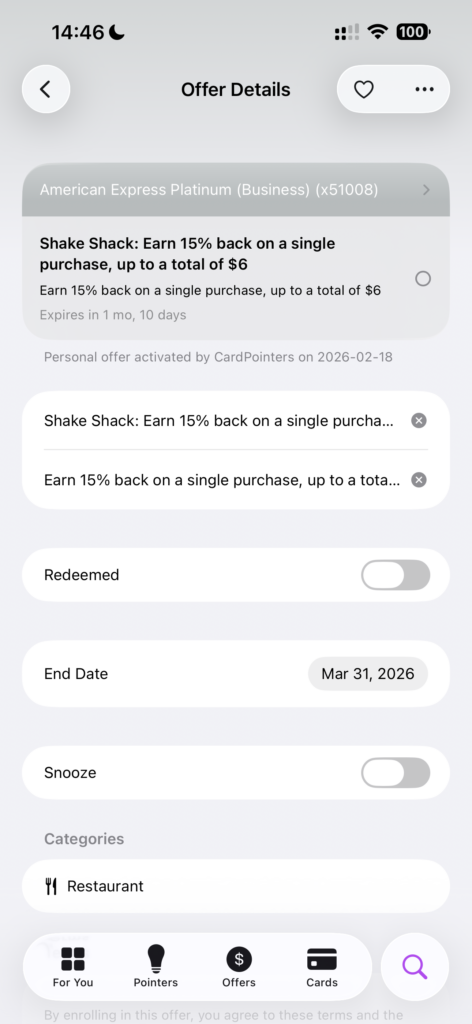
Click into offer for details
You can also click the heart in the top-right corner to add the offer to your favourites list, which makes it easy to find later. I’ll do this with offers I know that I’ll use.
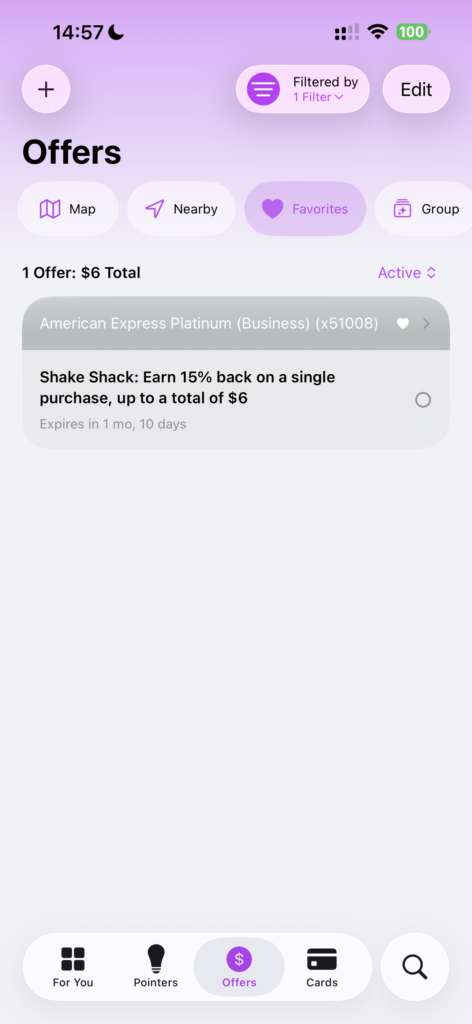
Favourite offers
Use Case 2: Check Offers When Shopping Online
The browser extension lets you search for offers directly, so it makes sense to run a quick check whenever you’re considering an online purchase.
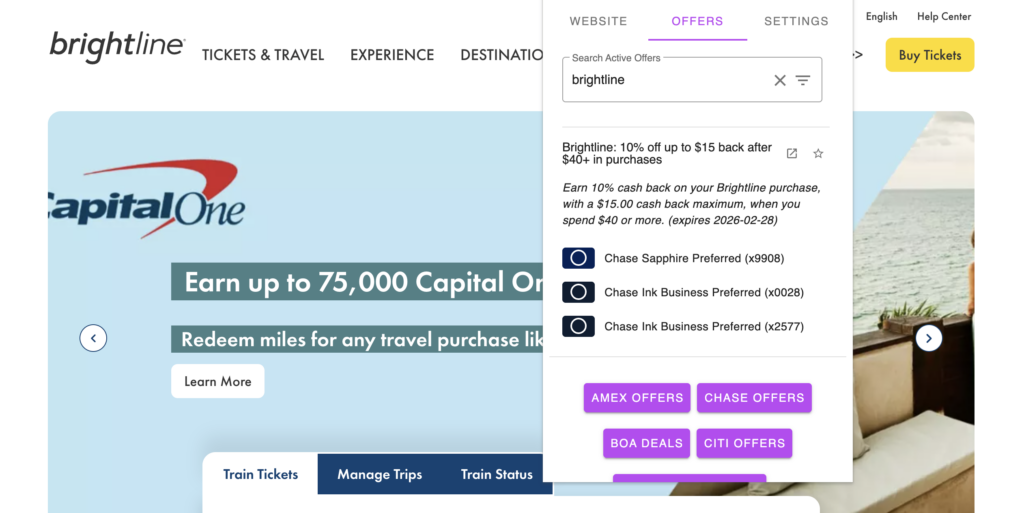
Last week, I went up to Fort Lauderdale (from Miami) to meet a friend for dinner and needed to buy Brightline train tickets. If I remembered to do so, I would open all my banking apps and click through to see if I had a Brightline offer, then make sure I enroll my card and use that card when completing my booking.
More likely, I would forget altogether and miss out on savings. In the past, there have definitely been times when I neglected to review all my offers.
With the CardPointers browser extension, it took about two seconds to search for “Brightline” in the offers section, click on it to expand the options, and see which card(s) I should use.
Other Features
Adding and using credit card offers is by far the most useful feature of the CardPointers+ product, but there are a few additional features you can make use of. For each credit card, CardPointers will display the sign-up offer, track your 5/24 status, and display the best credit card to use on your phone lockscreen based on your location and the cards loaded into CardPointers (iOS only).
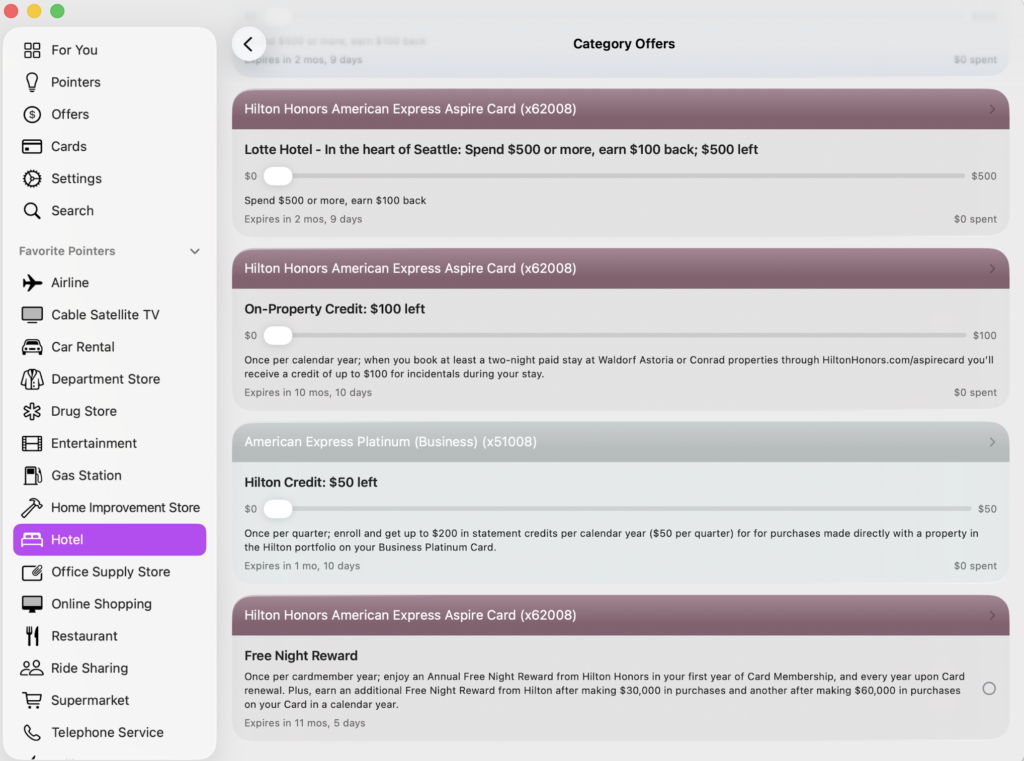
CardPointers knows about my Hilton Free Night Award
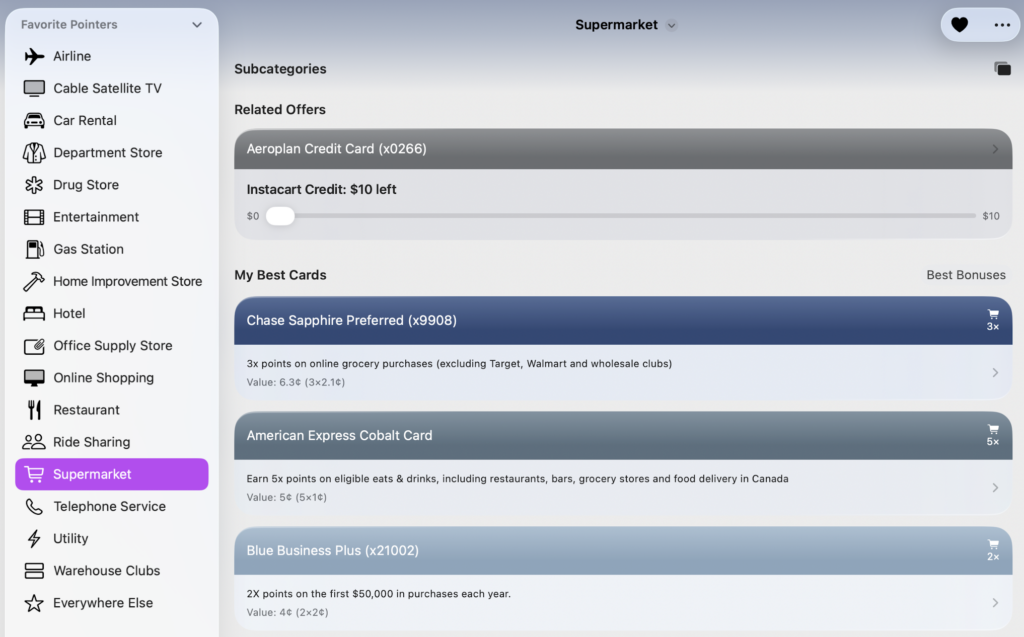
You can also click into certain categories, and CardPointers will show the best card to use to maximize everyday earnings. When it comes to choosing the best card, CardPointers uses a “value” with a default assigned to each points currency that you can also customize and the recommended cards will be sorted accordingly.
Here, it showed the Chase Sapphire Preferred over the Amex Cobalt, even though it correctly displays that the Amex Cobalt earns 5x at supermarkets, because the default value for Amex MR in Canada is 1 cent, while Chase Ultimate Rewards is set to 2.1 cents.
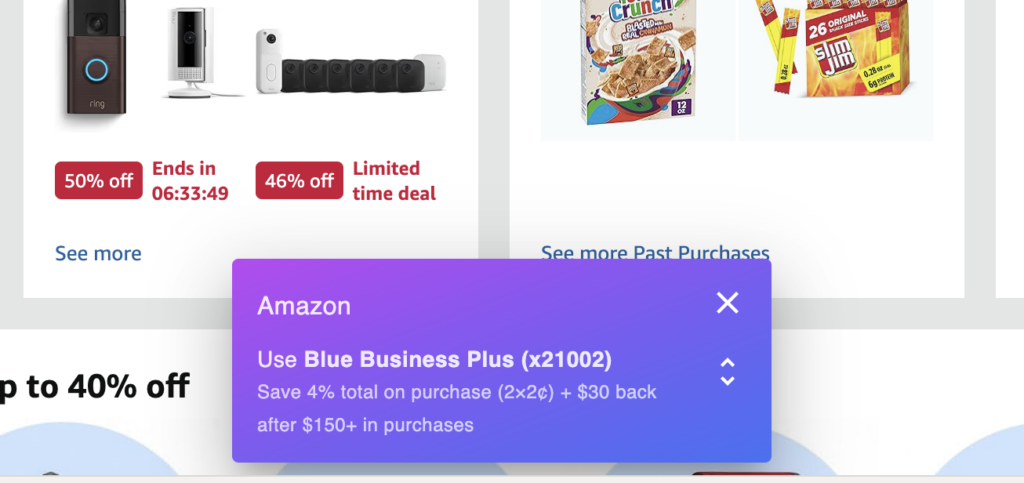
Cardpointers will also display a pop-up when you’re browsing online, showing the credit card with the highest earn rate for that category, but it doesn’t take into account your credit card offers, so make sure to use the browser extension to double-check that you don’t have an eligible offer on a different credit card.
Takeaway
CardPointers is one of those “you don’t miss it until you’ve had it” products, and I’m overall very pleased with how easy it is to use on the mobile app, Mac app, and browser extensions between Safari and Chrome.
My recommendation would be to sign up and subscribe for a year, then check how much money you’ve saved with credit card offers and how much of that you would’ve missed out on had you not used CardPointers; be honest, I know you’re not checking your credit card offers for every purchase.
That said, Version 8 represents the biggest upgrade we’ve seen in a while, and I’d seriously consider signing up for Lifetime since it’s effectively free with the $200 savings card. That, and the full price is going up permanently on October 1.
Our Affiliate Link for Cardpointers

2 comments
Your enthusiasm is breathtaking!
How much would you realistically dial it down if only using the app on an iPad and no US cards?
Interesting question about iPad, admittedly, I only use the Mac and iOS apps (and I also have U.S. credit cards). The usefulness for Canadians definitely goes down, mainly because Amex Offers in Canada are nowhere near as plentiful and dynamic as its U.S. counterparts.