
Table of Contents
Points Miles and Bling (blog) contains referral or affiliate links. The blog receives a small commission at no additional cost to you. Thank you for your continued support. Credit Card issuers are not responsible for maintaining or monitoring the accuracy of information on this website. For full details, current product information, and Terms and Conditions, click the link included.
Note: the ability to create a new Family Sharing account is currently suspended, with no announced resumption date. This does not affect existing Family Sharing accounts.
Aeroplan is undoubtedly the most popular frequent flyer program for Canadians, and its Family Sharing feature is one of the best points-pooling systems offered by any airline loyalty program. While we briefly mentioned Family Sharing in an article about which frequent flyer programs allow points pooling, this post will be a full deep dive covering all the details.
The Rules & Regulations
How Pooling Works
The most important thing to understand is how Aeroplan Family Sharing works. All points are pooled into a single balance, and any member can redeem from it. When someone redeems points, Aeroplan deducts them in proportion to each member’s contribution to the pool.
For example, if you contribute 75,000 toward the total 100,000 balance, a 20,000-point redemption will deduct 15,000 points from your account. Because you contributed 75% of the total points, you’ll contribute 75% of the points for redemption.
There’s no way to set it up any differently, and if you disband the family, you only keep your portion of points.
Verifying Your Aeroplan Account
Up to 8 family members can join a single Aeroplan Family Sharing pool. The person who sets up Family Sharing is the Verified Family Lead, and they can lock or unlock each member’s ability to redeem points.
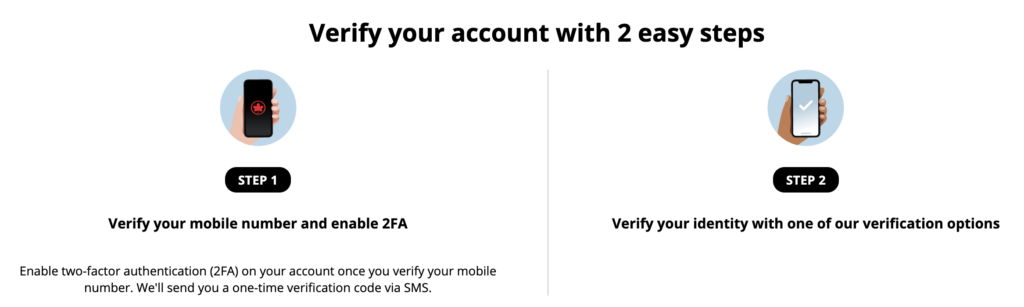
Verify your Aeroplan account
While Aeroplan does not require proof of relationship, other rules and verifications do exist. The main requirement is to verify your Aeroplan account using a mobile number and enable two-factor authentication (2FA). After confirming the code received by text, you must fulfil one of four requirements:
- If you’ve flown on two separately booked Air Canada-operated flights in the past five years, you’re automatically verified
- If you are the primary cardholder of an Aeroplan credit card linked to your account, you’re automatically verified
- Verify your identity in person at select airports (Montreal YUL, Chicago ORD, Paris CDG)
- Verify your identity online with Instant Verification (facial recognition + photo of ID)
Children under 18 can be verified via Instant Verification or in person, with the former being the easiest. The parent or legal guardian will verify their name and Aeroplan number, then upload photos of the minor’s valid government ID. If the child isn’t old enough to have a driver’s license, a passport, NEXUS, or a Permanent Resident card will work.
Each person must have a verified Aeroplan account in order to join a Family Sharing group.
A few more rules: your Aeroplan account must be at least 6 months old, and you must remain in a family for at least 3 months after joining. After leaving an existing group, you cannot join another group for six months. To leave a group, either the member or the Family Lead must contact Aeroplan by phone.
Setting Up Aeroplan Family Sharing
Once everyone is verified, setting up Family Sharing is straightforward. The Family Lead can open the “Family Sharing” tab in their Aeroplan dashboard and click “Get started” to send invitations.
If you already have a group, you can send invitations to new members from this dashboard. The required information is the invitee’s first name, last name, Aeroplan number, and relationship to the Family Lead. Here, you can choose whether this person can redeem the family’s Aeroplan points. You can change this setting at any time.
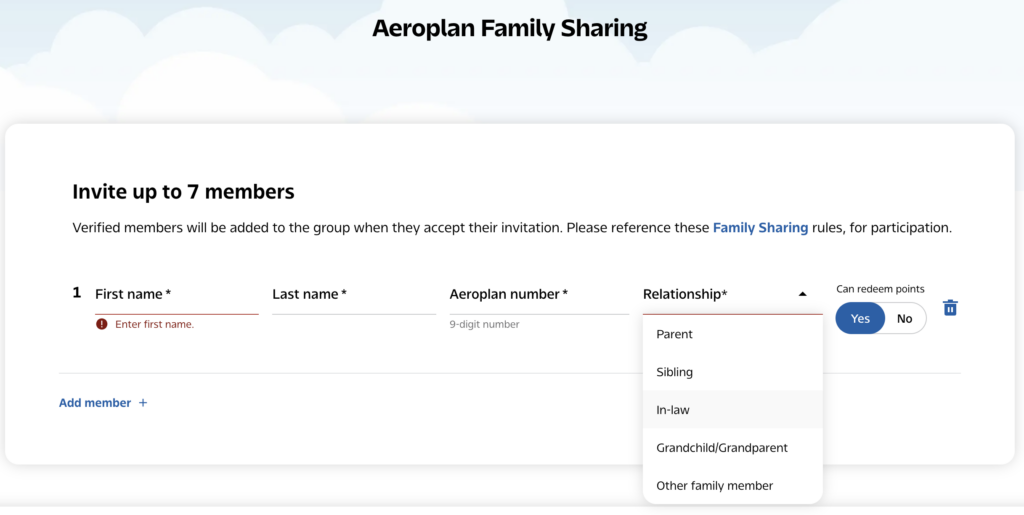
The Family Lead needs to send an invite for someone to join the Family Sharing group
The Benefits of Aeroplan Family Sharing
There are two benefits that individual members can share with each person in the larger Family Sharing group:
- 15% flight redemption discount by having status or holding an Aeroplan co-branded credit card
- Free changes and cancellations if bookings are made out of a Super Elite account
The first is very straightforward. When you search for award flights, Aeroplan automatically applies the 15% discount to the displayed redemption price, provided at least one family member is eligible.
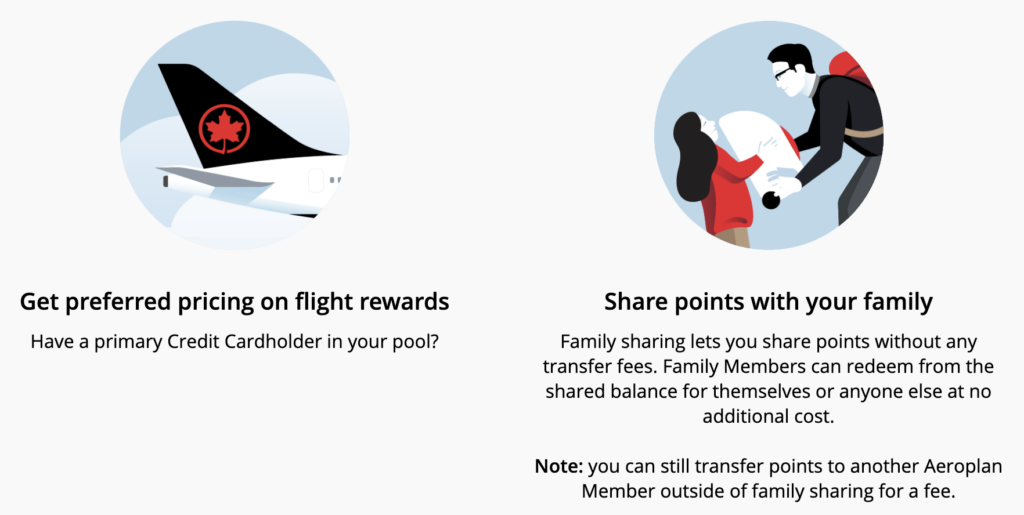
Share preferred pricing benefits with all members in the Family Sharing group
As for the second, Family Sharing can effectively give you free changes and cancellations on your own Aeroplan redemptions. A Super Elite member can redeem points for anyone in the pool using the shared balance, including their own points. It’s not a perfect workaround because Aeroplan deducts points proportionally from each member, but it’s an effective way to access Super Elite booking benefits without paying to transfer points between accounts.
A Warning About Aeroplan Family Sharing
Since the time of original publishing, a PMB community member has reached out to warn about disbanding Aeroplan family groups — encountering significant friction even after calling Aeroplan per the instructions.
He was initially refused outright, with the reason provided that there’s an unflown Aeroplan booking on his account. He called back, and a representative escalated the call to a supervisor because only supervisors can disband a Family Sharing group. All requested removals were completed by the end of the business day.
Nowhere does Aeroplan publish this as a rule against disbanding the family group, and it would be a significant obstacle if true, as many of us always have upcoming flights in our Aeroplan accounts.
The warning here is that disbanding a Family Sharing group isn’t as straightforward as it sounds, and it’s something to consider before you set one up. Personally, I don’t see myself ever disbanding our Family Sharing group. I already manage my family’s points, and pooling allows me to use everyone’s balance seamlessly within Aeroplan’s proportional redemption rules.
Takeaway
Aeroplan Family Sharing remains one of the best points pooling features offered by any major airline loyalty program. The ability to combine points without paying transfer fees, extend 15% off preferred pricing to the entire family, and even leverage a Super Elite member’s flexible booking benefits makes it an incredibly powerful tool for households that travel together.
The main downside is that Family Sharing isn’t something you can set up at the last minute. Between account verification, account age requirements, and waiting periods for joining or leaving a group, plan ahead and set up your family well before you need to redeem points.


2 comments
isnt this not available? “The ability to create a new Family Sharing account is currently unavailable, including by telephone with an Aeroplan representative. This is temporary and does not affect existing Family Sharing accounts, including the ability to add and remove members.”
Unfortunately, it is currently suspended and no resumption date announced