
Table of Contents
Points Miles and Bling (blog) contains referral or affiliate links. The blog receives a small commission at no additional cost to you. Thank you for your continued support. Credit Card issuers are not responsible for maintaining or monitoring the accuracy of information on this website. For full details, current product information, and Terms and Conditions, click the link included.
Earlier this year, Priority Pass rolled out a new app called Priority Pass+. Well, naturally, the question is: how is this different from the existing Priority Pass, and do we need to switch?
My goal is to answer the first, and then you can decide on the second, though I suspect we’ll all want to switch once you know the features. Or rather, there is one specific feature of the new app that is extremely handy and that the existing Priority Pass does not have. You can have multiple Priority Pass cards under one login with the new Priority Pass+ app!
One Login, Multiple Priority Pass Cards
As someone with multiple credit cards, one of my main frustrations when travelling is keeping track of how many Priority Pass visits I have remaining, which memberships allow guests, and which account I need to log into to pull up the right card.
Solo travel is easy because any Priority Pass membership will do. With one companion, I want a card that extends guest privileges. With a larger group, I prefer a card with a set number of visits, since I can burn several at once to get everyone into the lounge.
The new Priority Pass+ resolves most of the friction by allowing you to store multiple Priority Passes under one login, where you can view them all simultaneously and select the best card for your use case.
Setup Instructions
Simply log in to your Priority Pass account, click “Card” in the bottom navigation menu, then select the card with a + icon in the top right to import your other memberships. You can also activate a new membership here.
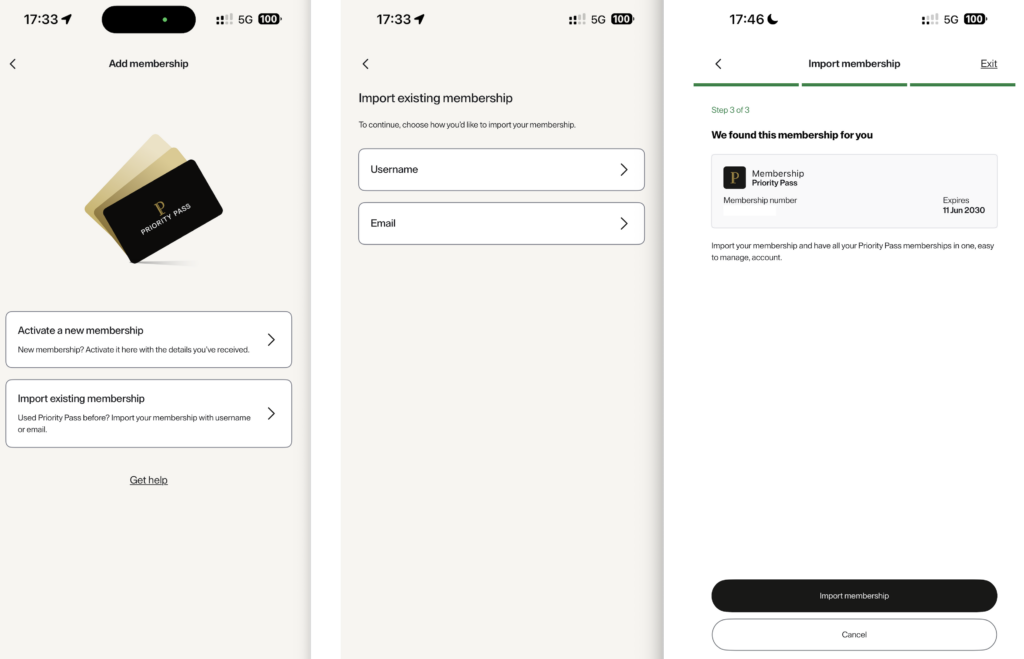
Load all cards under one login with the new Priority Pass+ app
It does seem we are still in the trial phase because one of my memberships worked smoothly, but another prompted me to use the old Priority Pass app instead. When it works, though, it loads your Priority Passes into a neat stack, and you’re able to easily select which membership you’d like to use, with your QR code loading on the same screen.
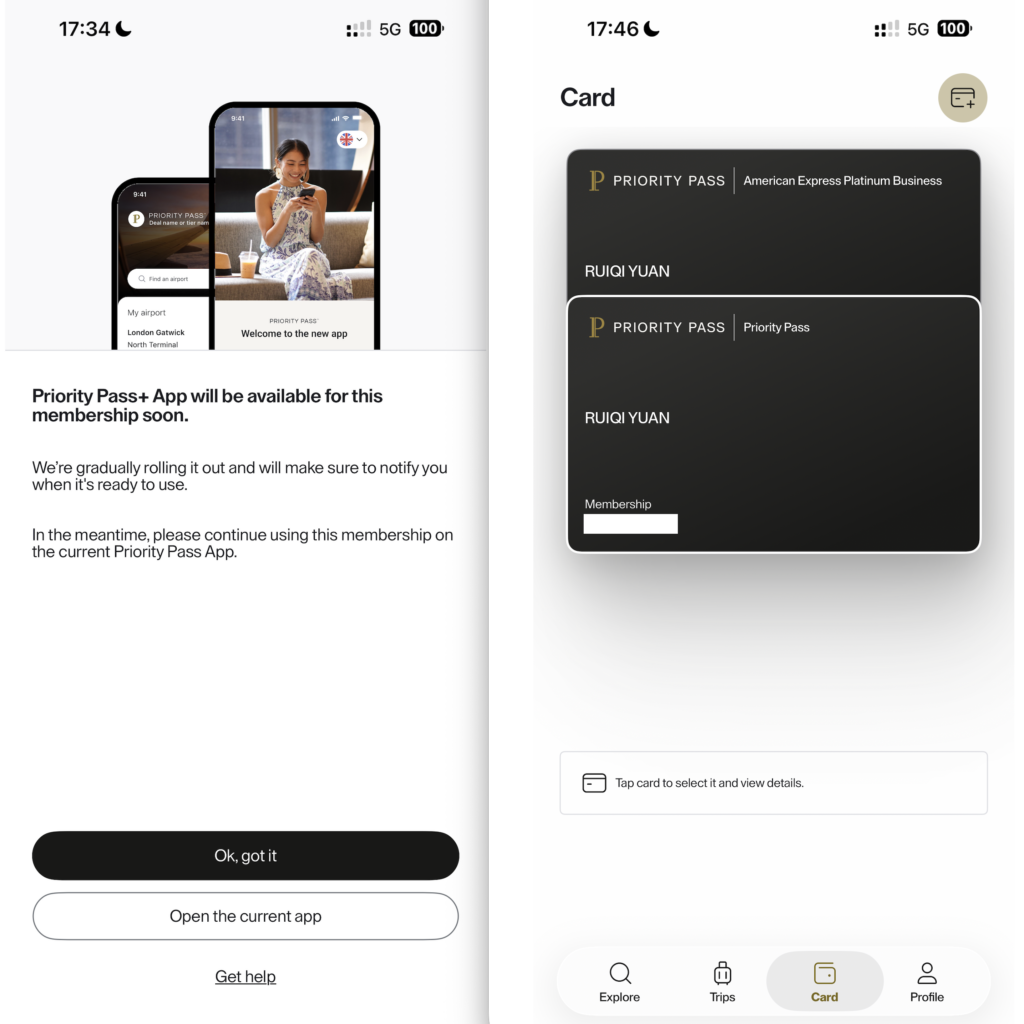
Sometimes it works, sometimes it doesn’t
The bit of friction it doesn’t resolve is that it inconsistently identifies the credit card associated with each Priority Pass membership. You can see that the topmost Priority Pass says “American Express Platinum Business”, while the bottom one just says “Priority Pass”. In my case, the labelled one is from my Amex U.S. Business Platinum, while the bottom is from my Amex Canada Business Platinum.
In the interest of being thorough, the membership that isn’t compatible with the new Priority Pass+ app comes from my Capital One Venture X.
Add “Trips”, See Available Lounges
Another useful feature is the ability to add upcoming trips, and Priority Pass+ will then show you which lounges are available at your departure airport.
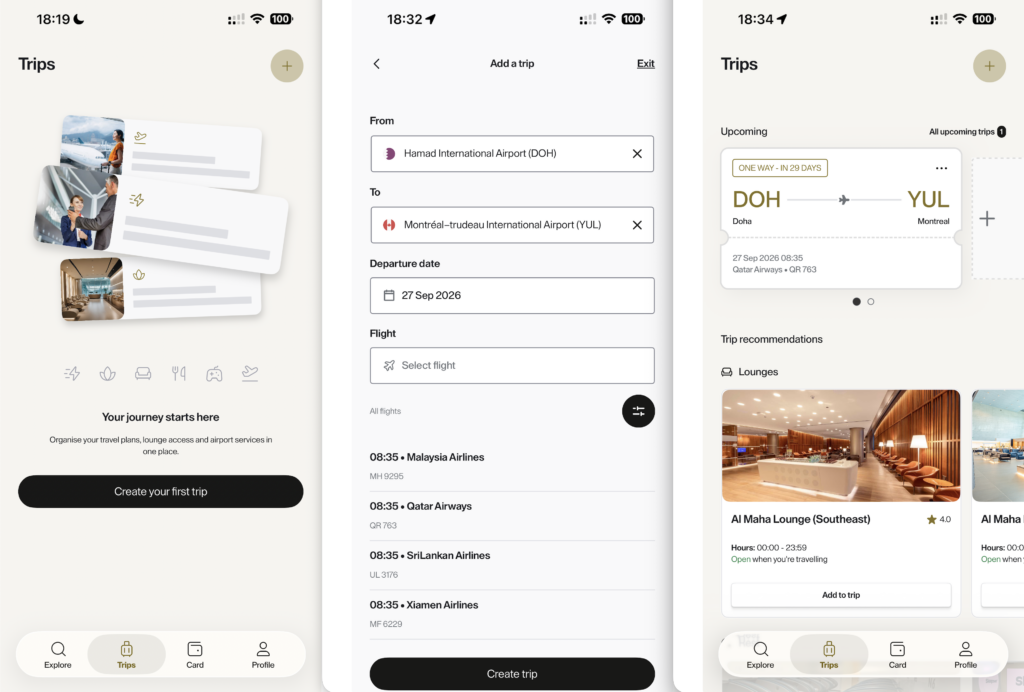
Add “Trips” to Priority Pass+
Obviously, you’ll have to enter flights one segment at a time, although you can enter a return trip in one go.
The “Trips” tab will automatically sort your flights in chronological order, so you’ll always see which airport you’re visiting soonest and what lounges are available there.
Set Home Airport, Automatically Changes When Travelling
The last feature I find useful is the ability to set a home airport, with the available lounges there shown as the default on the “Explore” home screen. If location services are turned on, the airport will automatically update to show you lounge options wherever you are. Scrolling down on the home screen will show “Trips”.
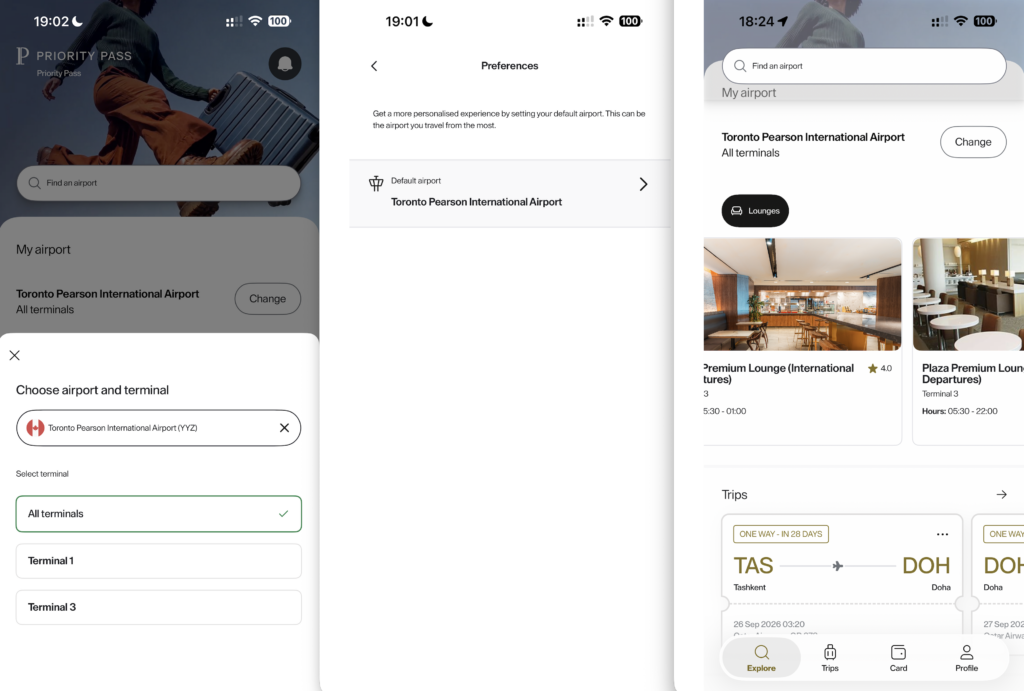
Set a default airport
It’s neat that you can select a default terminal when picking your home airport. If the selected airport has non-lounge options, you can filter the exact facilities you’re looking for with the menu bar. In the example below, New York JFK has Lounges and Rest areas.
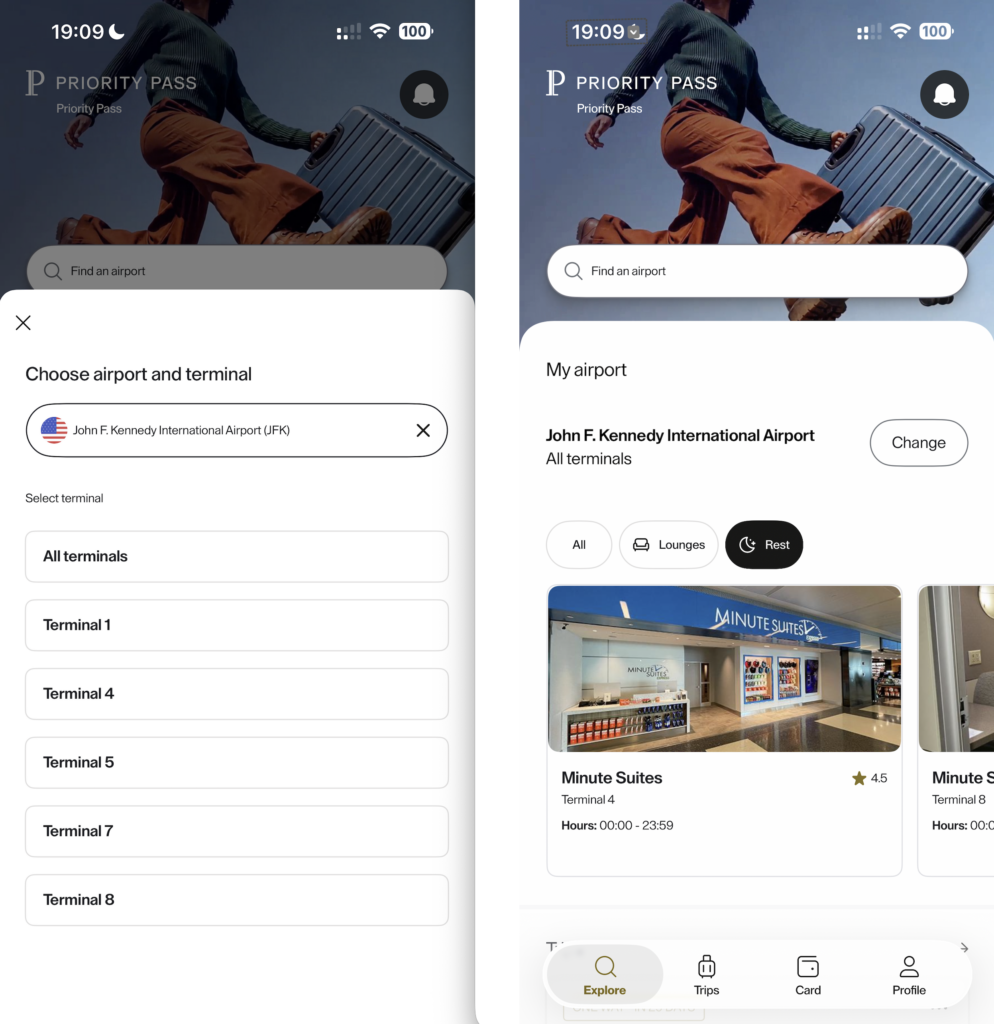
Filter between “Lounges” and “Rest”
Other Priority Pass+ Features
There are a few other features tucked under “Membership extras”, including “Destination & lifestyle services” and “Travel services”. The latter includes things like car rentals, airport transfers, and other travel bookings.
I don’t find these nearly as compelling. Realistically, I’m opening the Priority Pass app to access a lounge, not to book a rental car. Still, they’re there if you want them, and I’ll revisit this article if any of these services turn into a particularly good deal.
Takeaway
The main reason to switch to Priority Pass+ really is the ability to add multiple Priority Pass cards under one login and select between them without logging in and out of multiple accounts. This is the real quality-of-life improvement, while seeing upcoming lounge access under “Trips” and available facilities at your home airport, or wherever you are when travelling, are nice extras on top.

1 comment
The new app sort of hounds you to enter your trip information even when you’re just trying to get information on a particular lounge or airport. It feels like they may be mining or selling that data? Otherwise, stop hounding me for my itinerary!
It’s also a vehicle for them to sell their “skip the line” reservations, where you pay in advance to jump the queue. I don’t really love the concept of intentionally overselling access and then charging extra to get ahead of the other schmucks who are waiting, so I probably won’t participate in that scheme.